
Android 7.0 or newer · 17 MB file · iPhone gets a Safari shortcut
FairPlay Pro App Download — Free Pocket Build of 17 MB for Android 7.0 Phones
Install FairPlay Pro on an Android phone running 7.0 Nougat or later and sign in with the username you already use on the web. The file weighs 17 MB, asks for one permission switch, and brings the same balance, open bets and casino rounds onto your home screen. iPhone owners add a Safari shortcut instead.
Secure FairPlay Pro App Sign-In Right After the 17 MB Install
Tap the new FairPlay Pro icon and this is the first thing you see. Nothing new to learn here: the app takes the username and password you use in a browser, then a 4-digit code printed on the screen. Roughly 25 seconds. The FairPlay Pro login walkthrough covers caps-lock slips and refused codes if the box pushes back.
FairPlay Pro App Download in 4 Easy Taps, From File to Lobby
Most people searching fairplay pro app download want one thing: the icon on the phone, working, without a detour through five settings screens. Good news. Four taps and a single switch cover the whole install, and the only thing you need before starting is an Android phone on version 7.0 (Nougat) or anything newer.
No store listing is involved. FairPlay Pro ships the app as an APK file, so Android treats it the way it treats any file you fetch yourself, and it will ask once whether your browser is allowed to install things. That question is the toggle. Answer it and the rest is quick.
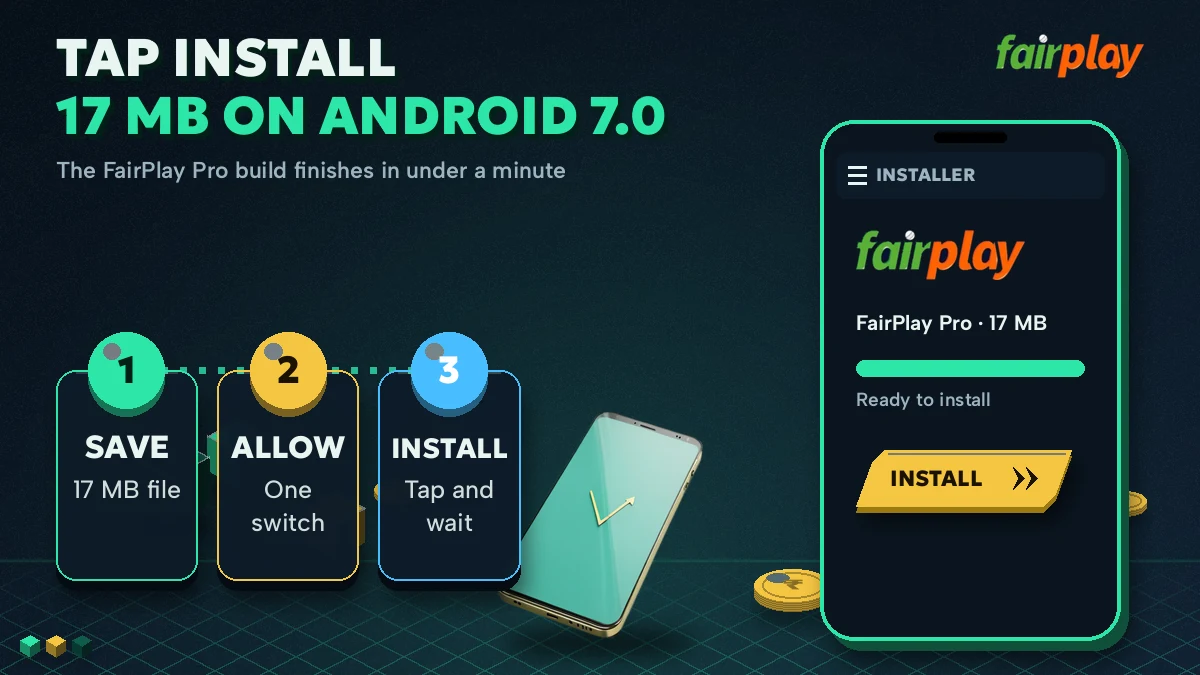
- Tap the download button. The 17 MB FairPlay Pro APK saves to your Downloads folder. On a strong signal this is over fast; on a patchy one, let the progress bar finish before you touch anything else, because a half-saved file is the usual reason the next step fails.
- Tap the finished file. Once the 17 MB transfer ends, the saved FairPlay Pro APK is one tap away in your notifications. Cleared them by accident? Files, under Downloads, has it too.
- Flip the one toggle. Android pauses with a notice about apps from unknown sources. Tap Settings, switch on the permission for the browser that fetched the file, then press back.
- Tap Install. Give it a few seconds, press Open, and the FairPlay Pro sign-in screen is waiting for your username.
Safe FairPlay Pro Install: What the Unknown-Apps Toggle Really Does
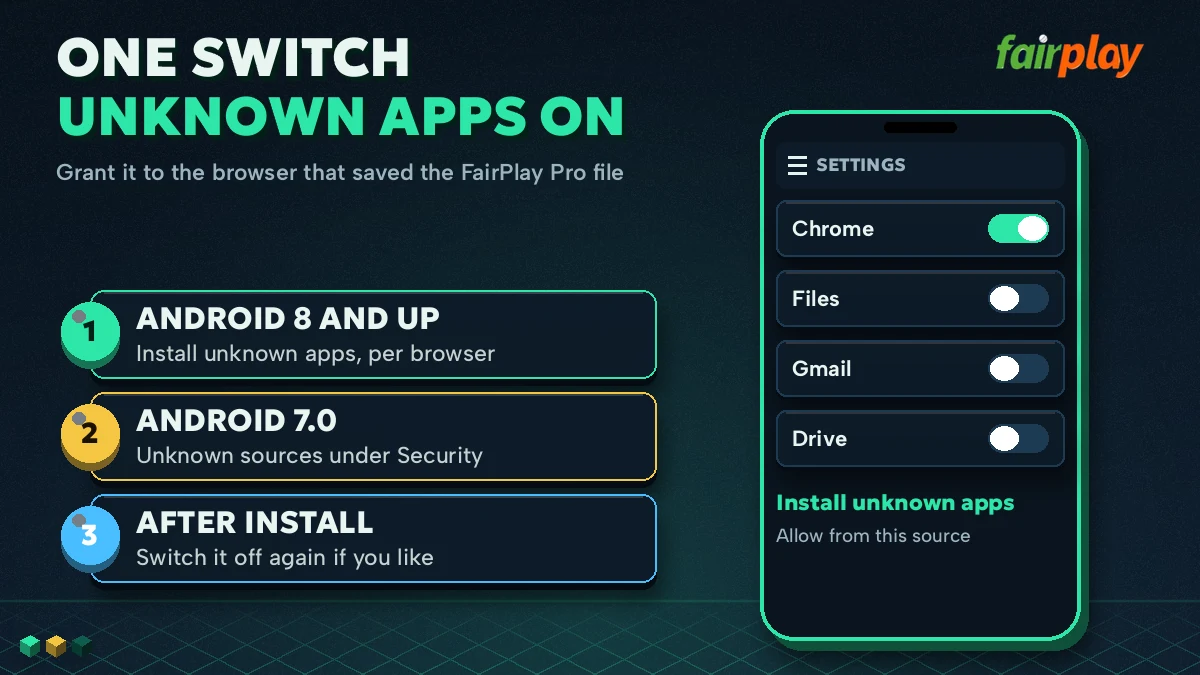
Where the switch lives depends on the Android release. On 7.0 and 7.1 it is a single phone-wide setting called Unknown sources, sitting under Security. From Android 8 onward it moved to a per-app permission named Install unknown apps, so you grant it to Chrome (or whichever browser you used) and nothing else. Either way it is one switch for FairPlay Pro. You can turn it back off once the app is on the phone; the installed app keeps working and updates later will simply ask again.
FairPlay Pro on iPhone: A Free Safari Home-Screen Shortcut
There is no APK for iOS, and Apple does not allow one to be sideloaded anyway. iPhone users get a shortcut from FairPlay Pro instead. Open the sign-in address in Safari, tap the Share icon, scroll to Add to Home Screen, keep or rename the label, and tap Add. An icon appears next to your other apps and opens the lobby directly, with the same username and balance.
It is not a native app. In practice it behaves close enough that most iPhone users never notice the difference, though it does rely on Safari (other iOS browsers handle home-screen shortcuts less reliably, in our experience).
FairPlay Pro APK Latest Version, Real Phone Checks and Quick Fixes
Before the download, thirty seconds of checking saves a failed install. Three things matter: the Android version, free space for the 17 MB file, and an existing FairPlay Pro ID to sign in with.
Real FairPlay Pro APK Requirements Before You Tap Download
| What to check | FairPlay Pro needs | Where to look |
|---|---|---|
| Android release | 7.0 (Nougat) or newer | Settings, About phone, Android version |
| File size | 17 MB, plus room for Android to unpack it | Settings, Storage |
| Permission | One unknown-apps switch for your browser | Prompted during install |
| iPhone | No APK; a Safari home-screen shortcut | Safari, Share, Add to Home Screen |
| Account | A FairPlay Pro username and password | New ID on WhatsApp in about 3 minutes |
No account yet? The app cannot create one by itself, so sign up first and install second. The FairPlay Pro register page lists the three details the desk asks for.
Getting the FairPlay Pro App Download Latest Version
Here is where people overthink it. The fairplay pro app download latest version always comes from the same place as the first one: the download button on this page. There is no separate updater and no store to refresh. Fetch the file again, tap it, and Android offers to install it over the copy you already have.
Your money does not live on the the phone. Balance, open bets and settled slips sit on the FairPlay Pro account, so replacing the app changes nothing about them; at worst you type your username once more. If Android refuses to install over the older copy, uninstall the old one first and then install the fresh file. Takes less time then reading this paragraph.
Fast FairPlay Pro Install Fixes, Sorted by Error Message
App not installed. Usually a half-finished download or an older FairPlay Pro copy that clashes with the new file. Check the file in Downloads: if it shows well short of 17 MB, delete it and fetch it again. If the size is right, uninstall the old app and retry.
There was a problem parsing the package. Android is saying it cannot read the file. For FairPlay Pro that has two causes: a handset below 7.0, which will never take this APK (use the browser lobby there), or a corrupted download, which a fresh copy fixes.
Install blocked / not allowed to install unknown apps. Your toggle is still off. Tap Settings on the notice, switch it on for the browser you used, press back, and tap Install again.
Play Protect warning. Google scans every file that arrives outside its store and shows this for sideloaded apps generally. If the file came from the FairPlay Pro download button, More details and then Install anyway lets it through.
A pattern the desk sees a lot: download bar hits the end, the phone says App not installed, and the user reinstalls three times. Same result every time. Cause: a dropped connection had cut the file in Downloads short. Deleting it and fetching a clean copy fixed it on the first try.
Same FairPlay Pro Account, Live Inside the App
Nothing splits when you move from browser to app. One username, one balance.
- Sign-in
- Identical to the web: username, password and the on-screen code, about 25 seconds in total.
- Casino
- Live roulette, Mines and Aviator sit on the same ID, with rounds from ₹100; the FairPlayPro com casino tables page lists what is running.
- Balance and cash-out
- Statement, open bets and withdrawal requests (from ₹400, UPI in about 20 minutes) all live in the My FairPlay Pro account area.
- Web addresses
- Betting domains get blocked on Indian networks now and then. A dated check of which web name answered sits on the FairPlay Pro com mirror status page.
- 17 MB FairPlay Pro APK size
- 7.0 oldest Android release it accepts
- 4 taps from file to sign-in
- 1 permission switch
Some people reach this page by typing the address with .com in it: fairplaypro com app download, fairplaypro com download, fairplay pro com download. Typing .com changes nothing about the file. It is one 17 MB FairPlay Pro build for every route, so a download that turns up at a very different size under this name is something else, and should be deleted rather than installed.
More Trusted FairPlay Pro Pages Beyond the App Download
Popular FairPlay Pro APK and App Download Searches
- fairplay pro app download
- fairplaypro com app download
- fairplaypro com download
- fairplay pro com download
- fairplay pro app download latest version
- fairplay pro apk
- fair play pro app
- fairplaypro apk download
- fairplay pro app login
- fairplay pro android app
- fair play pro apk download
- fairplaypro app
Every FairPlay Pro APK Search Sorted in One Easy Place
Quick FairPlay Pro Route for Each Download Search
- Typed fairplay pro app download on an Android phone: use the download button, then the four taps listed above, then sign in.
- Typed fairplay pro apk: it is the same 17 MB file, built for Android 7.0 and newer, needing the one unknown-apps switch.
- Typed fairplaypro com app download or fairplaypro com download: the .com spelling points to the identical FairPlay Pro build, nothing separate.
- Typed fairplay pro com download on an iPhone: there is no file for iOS, so add the Safari home-screen shortcut and sign in there.
FairPlay Pro App Download Latest Version, Kept Current for Free
The fairplay pro app download latest version comes from the same download button as the first install. Fetch it, tap it, and let Android place it over the older FairPlay Pro copy. If the phone refuses, uninstall first, then install; the account and balance stay on the server.
No payment is involved in getting or updating the app. A FairPlay Pro ID is what you need, and the app opens it with the same username and password you already use in a browser.
FairPlay Pro App Download FAQ With Quick Answers
Does FairPlay Pro have a real app for Android phones?
Yes. FairPlay Pro has a 17 MB APK for phones on Android 7.0 or newer. It arrives as a file rather than a store listing, so Android asks you to allow one unknown-apps permission, and the install takes four taps. The app opens the same account you use in a browser.
How large is the FairPlay Pro APK file?
The FairPlay Pro APK weighs 17 MB, small enough for most phones on Android 7.0 or newer. Anything noticeably lighter in your Downloads folder means the transfer broke off midway, and Android will reject it. Remove that copy, download once more on a steadier signal, and install the full file.
Can I use FairPlay Pro on an iPhone?
Yes, through Safari rather than an app file. iOS does not accept the FairPlay Pro APK, so open the sign-in address in Safari, tap Share, choose Add to Home Screen and tap Add. The new icon opens the lobby with your usual username, password and balance.
How do I get the latest FairPlay Pro app version?
Tap the same FairPlay Pro download button you used the first time, because that file is always the newest build, and install it on top of the app you have. When Android says it cannot replace the existing copy, remove the old app and install again. Bets and balance are held on the account, so nothing moves.
Why is my FairPlay Pro install being blocked?
Usually the unknown-apps permission is still off. Tap Settings on the warning, allow installs from the browser that saved the FairPlay Pro file, then tap Install again. If the phone runs a release older than Android 7.0, the APK will not install at all, and the browser lobby is the fallback.
Is the FairPlay Pro app login the same as the website login?
Yes, it is the identical account. The FairPlay Pro app asks for your usual username, your password and the 4-digit code shown on screen, which takes about 25 seconds. Balance, open bets, casino rounds and withdrawal requests match what you see in the browser.